Contents
1. Prerequisites
- Akabot Center must be installed
- Postman or any HTTP client application
2. Create Managed Token
A managed token is a predefined authentication token that can be used to authenticate API HTTP requests to Akabot Center. Administrators can assign roles, set expiration dates, and enable or disable tokens at any time.
To create a managed token in Akabot Center, navigate to: Administration > Token > Create New. 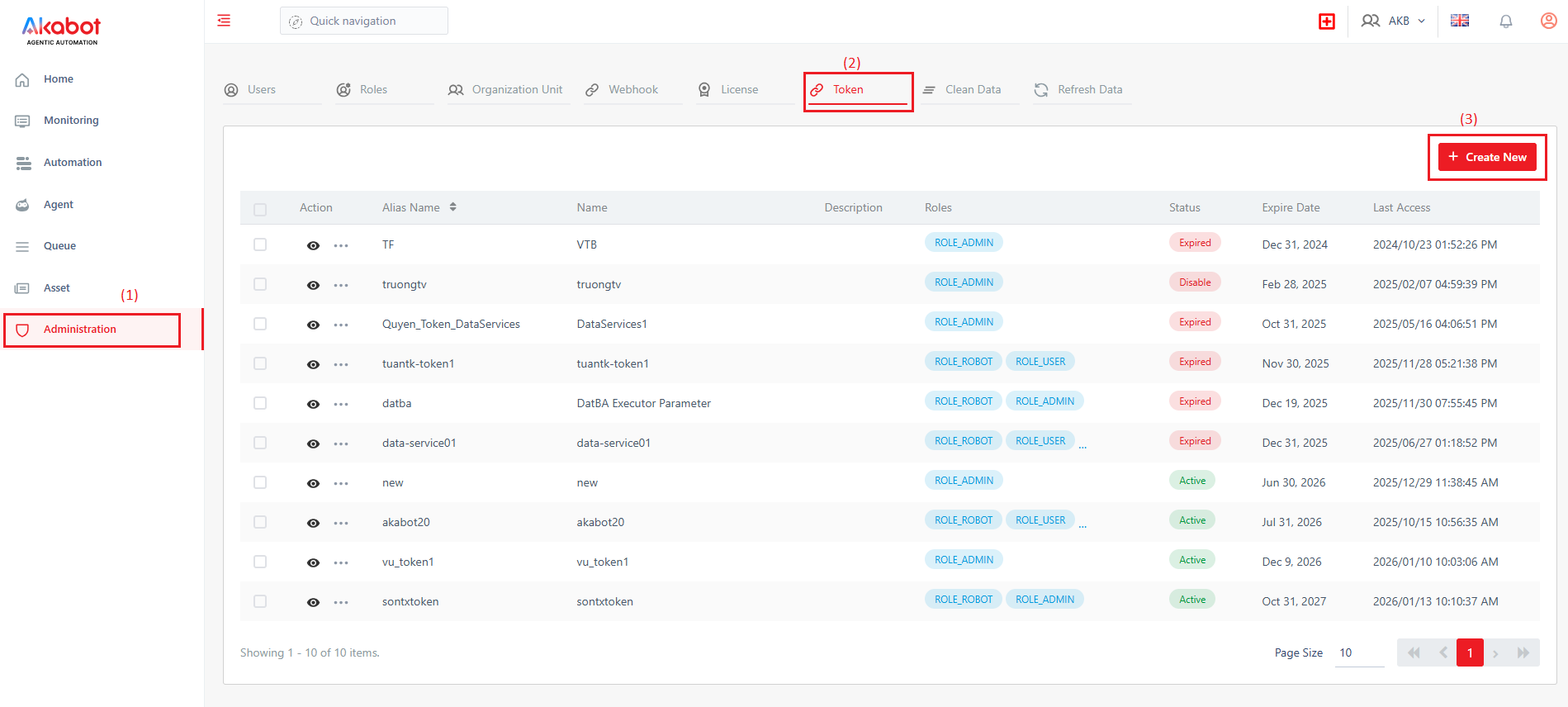
Complete the token information form by entering the token name, assigning roles, setting the expiration date, and configuring the active status.
After creation, a list of tokens will be displayed in the management panel, showing token information such as status, assigned roles, and last access time.
Administrators have the authority to edit or remove tokens as needed. When a token is removed or expired, any client using this token will not have permissions to invoke akaBot Center api.
Users can click on a token to view its details and copy the token value for use in third-party systems.
3. Use Managed Token
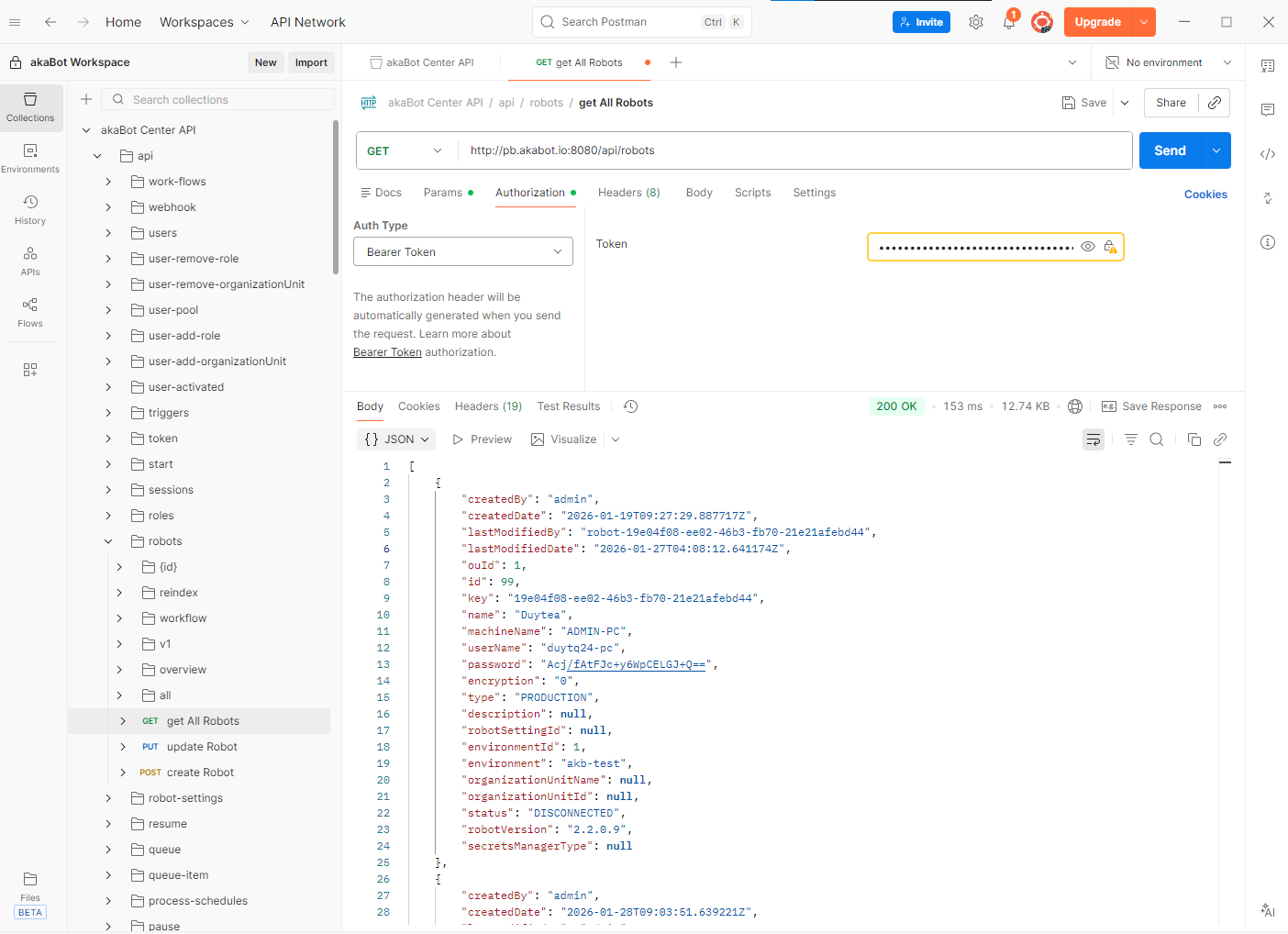
This section demonstrates how to use a managed token in third-party systems. The third-party system must support HTTP requests with Bearer authentication. For demonstration purposes, we will use Postman to invoke an HTTP request to retrieve the list of agents from Akabot Center.
Steps to use the managed token:
- Enter the server API URL
- Select the authentication type as Bearer Token
- Enter the value of the managed token created in the previous section
- Click the Send button to submit the request to the remote server
The response should contain an array of agents, as shown in the image below.
Alternatively, you can create a custom application to send the request programmatically. Below is an example implementation in C#:
var options = new RestClientOptions("http://your.center-domain.com") { MaxTimeout = -1, }; var client = new RestClient(options); var request = new RestRequest("/api/robots", Method.Get); request.AddHeader("Accept", "*/*"); request.AddHeader("Authorization", "Bearer <insert-managed-token-here>"); RestResponse response = await client.ExecuteAsync(request); Console.WriteLine(response.Content); |
Was this article helpful?
That’s Great!
Thank you for your feedback
Sorry! We couldn't be helpful
Thank you for your feedback
Feedback sent
We appreciate your effort and will try to fix the article
