Table of Contents
Activity Program Name
Description
Properties
Usage
Using Private Mode
1. Activity Program Name
RCA.Activities.NativeBrowser.OpenBrowser
2. Description
From Studio Version 2.1.1.1 onwards:
Quick Access: "Toolbox" > "Native Browser" > "Open Browser (NB)"
This activity was added in Studio 2.1.1.1 and can be installed via the Package Manager.
It allows users to open a specified URL and perform browser operations.
Tested Studio Version: 2.1.1.1
Note: Some wording may differ depending on the version.
3. Properties
⚠ Important:
If the "Close Browser on Completion or Error" property is checked, all open browsers (including manually opened ones) will be closed when the workflow is executed.
(This issue is expected to be fixed in future releases.)
4. Usage
Here is an example of using the "Open Browser (NB)" activity to open the akaBot Support Portal:
Example: Open a webpage in Google Chrome
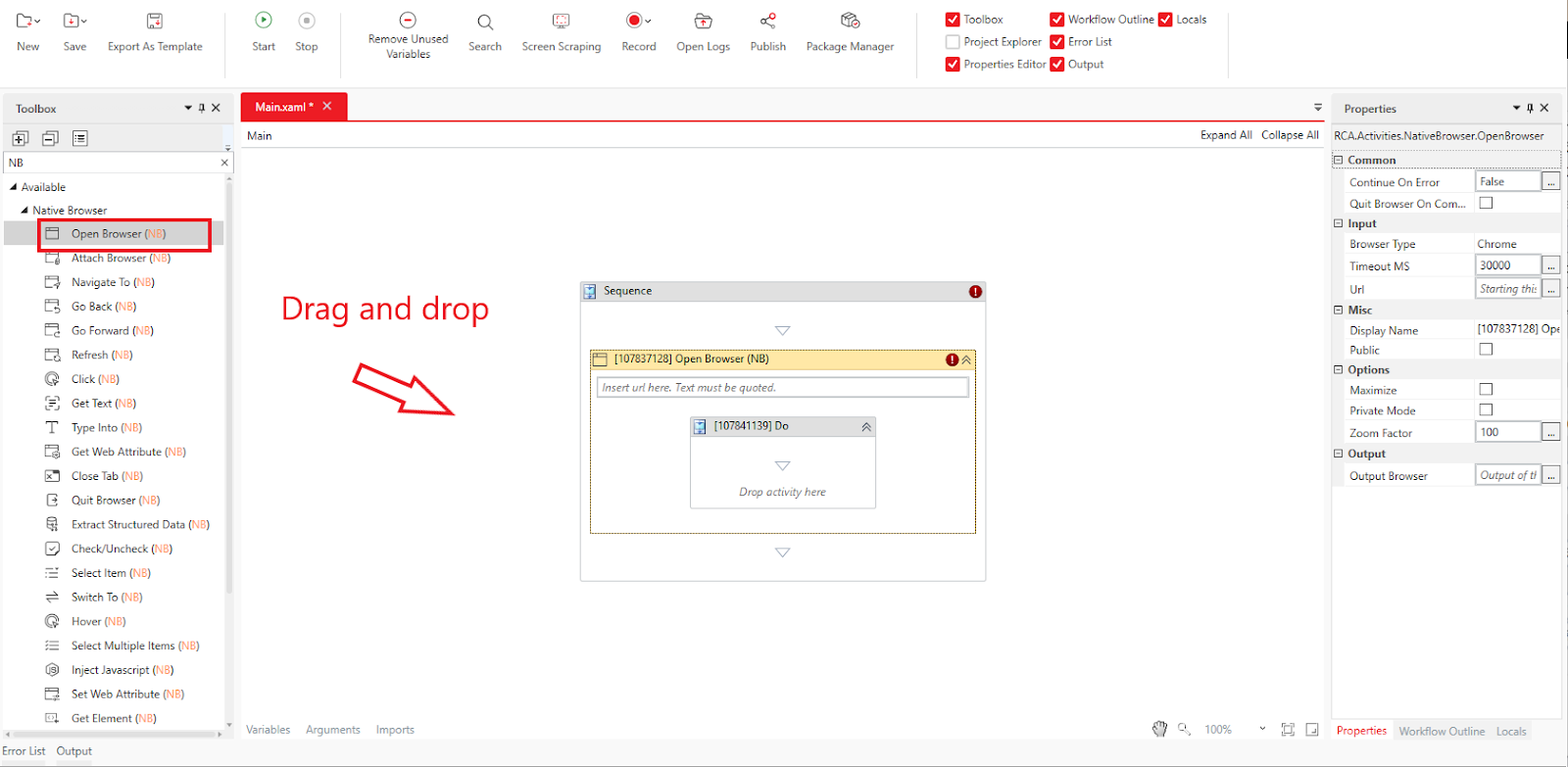
Drag and drop "Native Browser" > "Open Browser (NB)" into the Designer Panel.
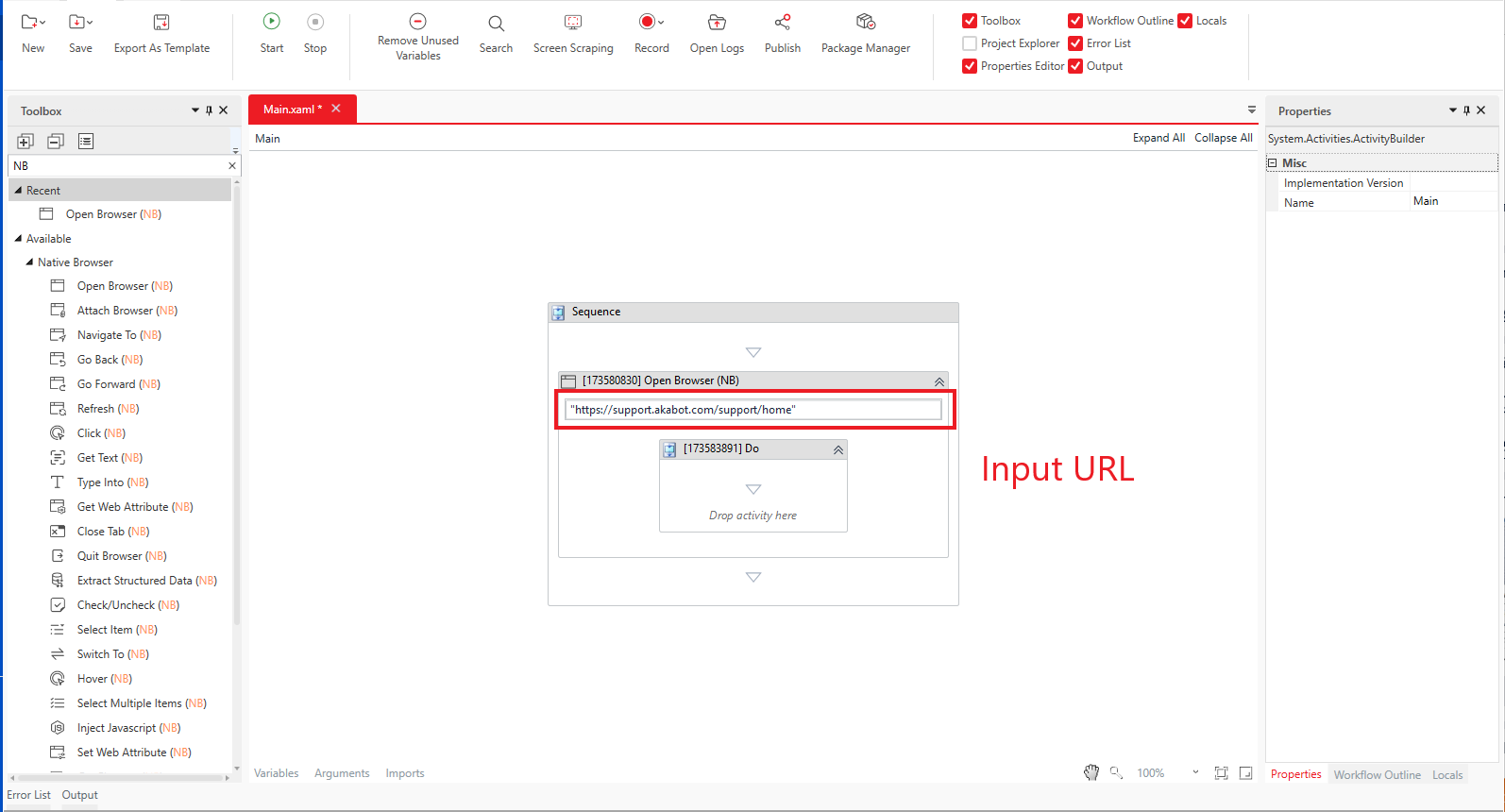
In the "Input" > "URL" property, enter the URL of the page you want to open.
Make sure to enclose the URL in double quotes ("").
Click "Home > Start" or press F5 to execute the workflow.
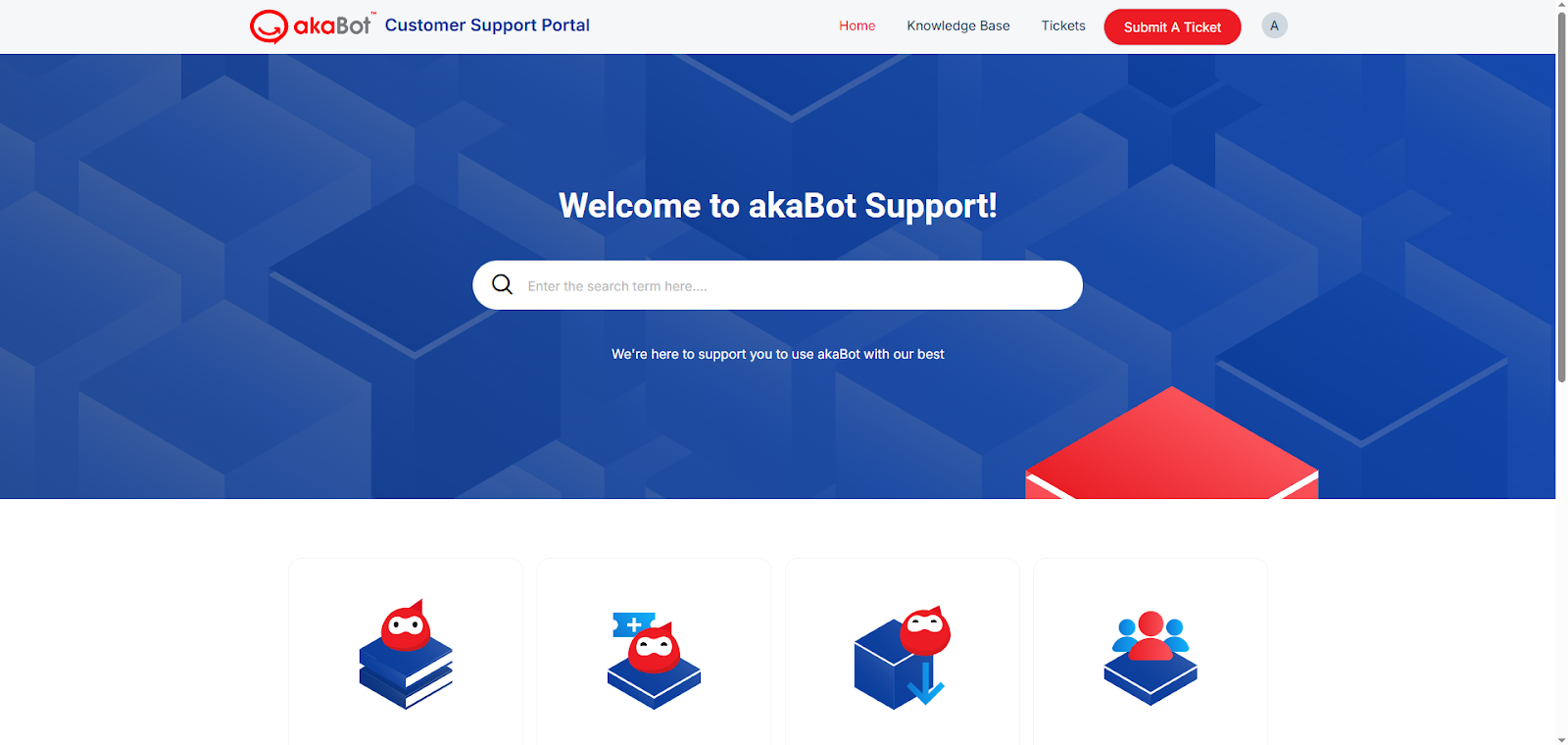
The akaBot Support Portal (https://support.akabot.com/support/home) should now open in the browser.
5. Using Private Mode
The "Native Browser" activity allows private browsing mode by enabling the "Options" > "Private Mode" checkbox.
⚠ Note: When using private mode, additional configuration may be required through browser extensions.
Refer to the following guides to set up the necessary extensions:
Google Chrome: https://support.akabot.com/support/solutions/articles/153000194758-web-extension-installation
Mozilla Firefox: https://support.akabot.com/support/solutions/articles/153000194789-firefox-extension-installation
Microsoft Edge: https://support.akabot.com/support/solutions/articles/153000194788-edge-extension-installation
Was this article helpful?
That’s Great!
Thank you for your feedback
Sorry! We couldn't be helpful
Thank you for your feedback
Feedback sent
We appreciate your effort and will try to fix the article
