1. Activity Program Name
System.Activities.Statements.Sequence
2. Description
Studio Version ~2.0.2.0
Quick Access: Toolbox > Control Flow > Sequence
Studio Version 2.0.3.0~
Quick Access: Toolbox > System > Control Flow > Sequence
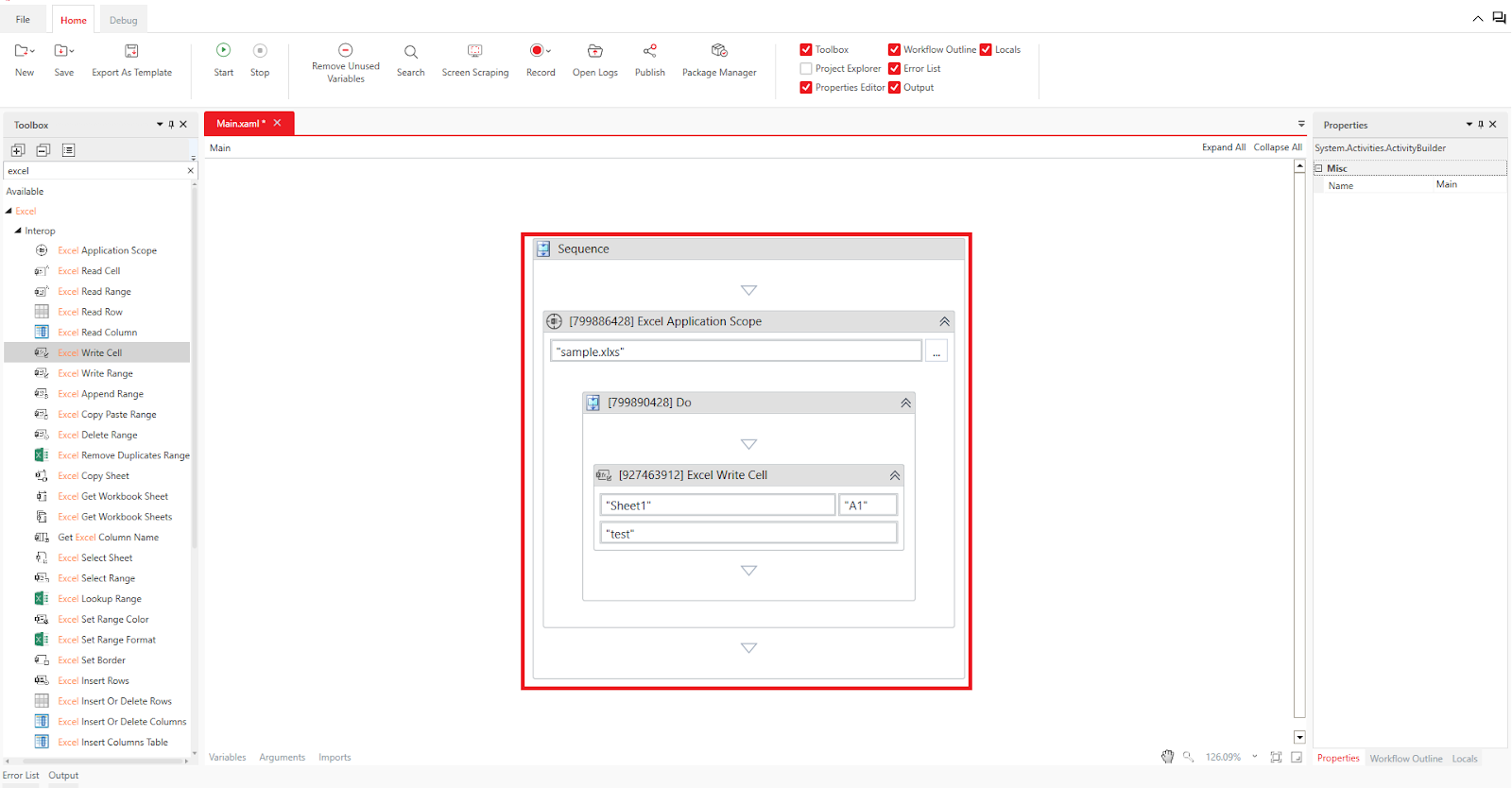
A sequence is one of the workflows in akaBot Studio. It is particularly suited for simple, linear processes without complex conditional branching. You can use sequences to call workflows. However, compared to flowcharts, one downside is that the screen can become cluttered and difficult to view when activities overlap due to the smaller interface. In a sequence, you can combine multiple activities for execution, as shown in the image below.
3. How to Use
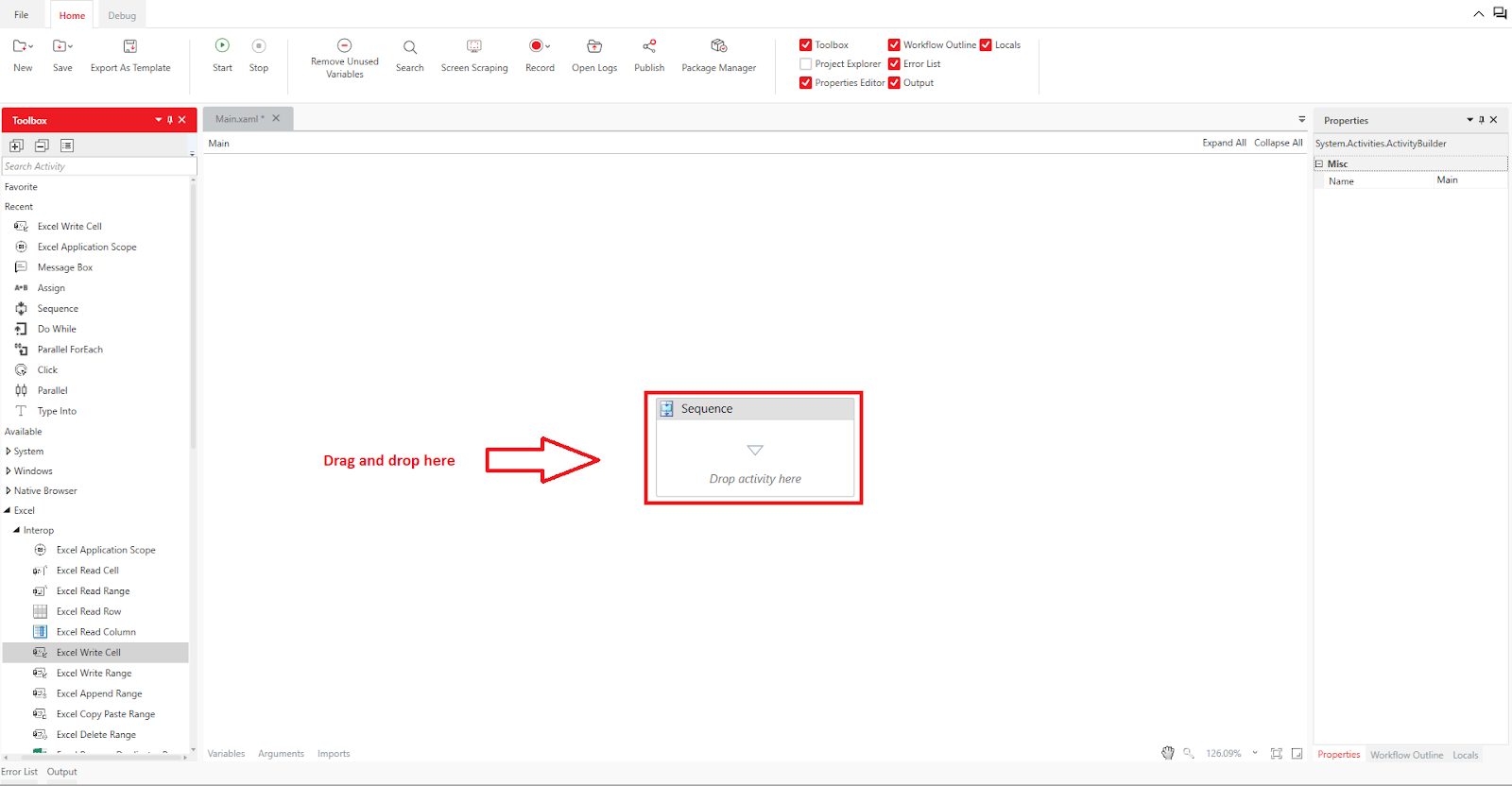
To use a sequence, drag and drop the Sequence from the activity panel to the design panel.
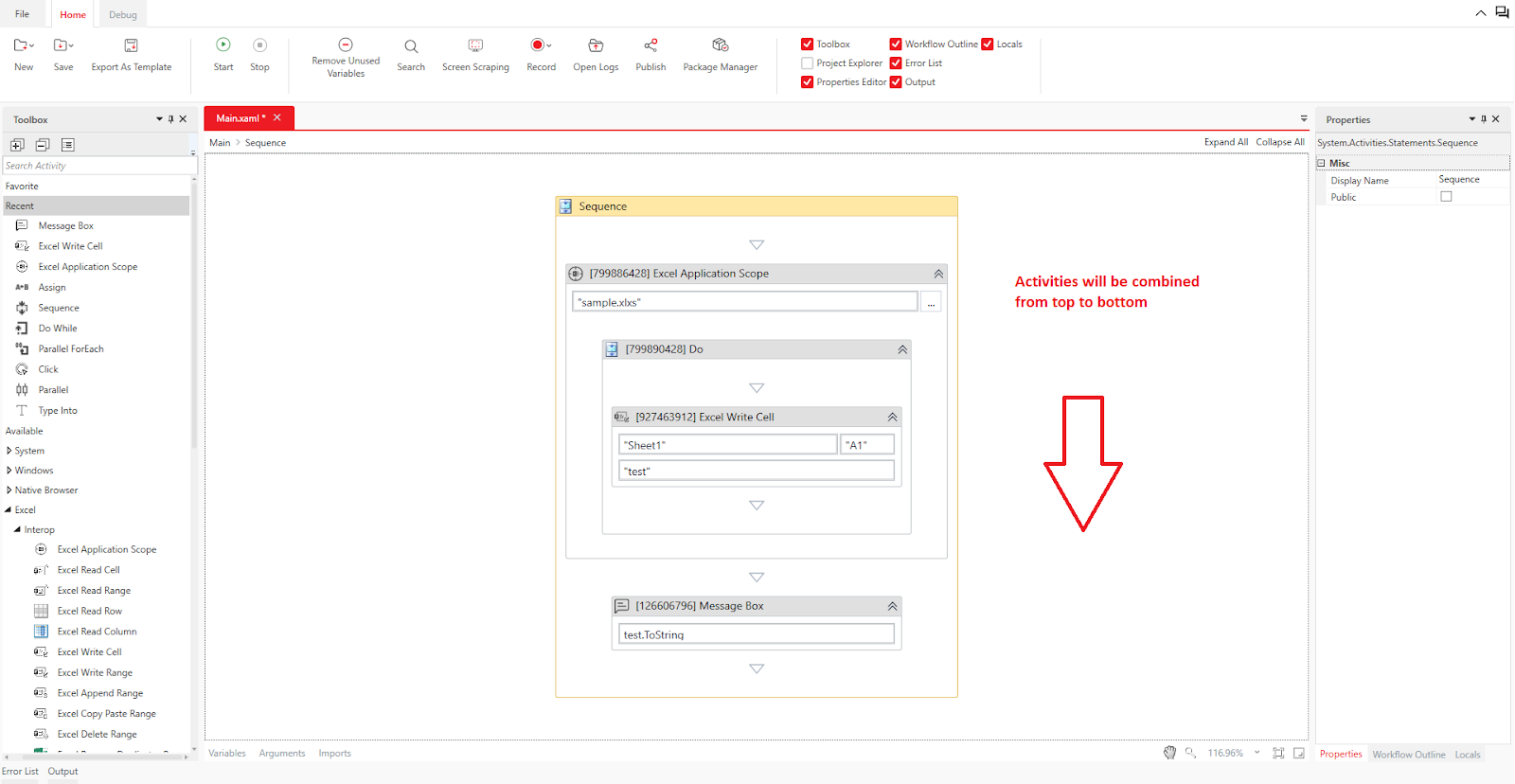
If you want to combine multiple activities within the sequence, drag and drop the desired activities into the sequence. Place subsequent activities below the previously placed ones, creating a flow from top to bottom as you build the process.
Was this article helpful?
That’s Great!
Thank you for your feedback
Sorry! We couldn't be helpful
Thank you for your feedback
Feedback sent
We appreciate your effort and will try to fix the article
